
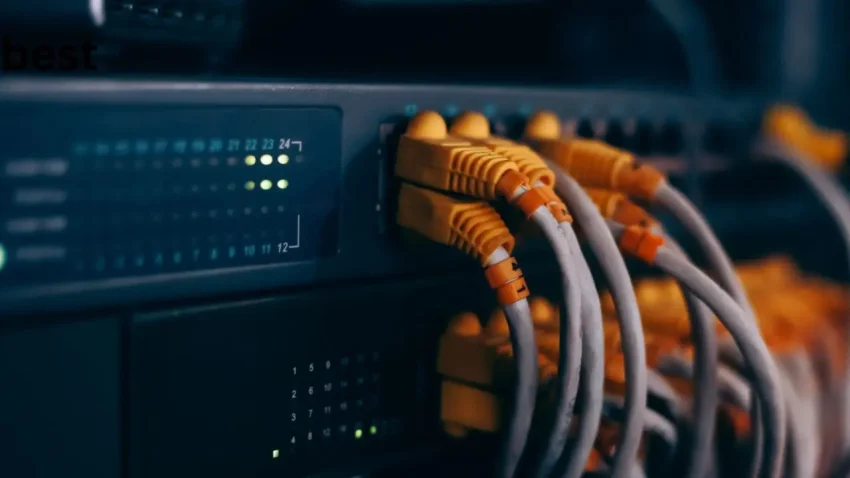
Creating toddowen.net represents another milestone in my journey of building a home lab. This ever expanding project started with the desire to build a home backup solution for all of my photos, music, and personal files. I think we all have this problem where our files are not organized in any sort of meaningful fashion. For me, I had files spread across two different computers, an external hard drive, Google Drive, and Microsoft OneDrive. The files on my external hard drive worried me as that drive was nearly 15 years old and could be prone to failure at any time. After an extensive amount of research I decide to buy a mini PC that was able to be setup as a network attached storage (NAS) device and had enough resources to where I could use it for home lab projects.
The obvious choice here would have been to go for a system based upon the Intel N150. They are cheap and are currently being marketed as a mini-NAS system. The problem is that outside of NAS duties, they really fall short. The TDP of these systems is great at 6W, but if you want to do more with them you’ll run into problems. Thus I decided upon a mini PC based upon a Ryzen 5 CPU (7430U) with 6 cores and 12 threads. This has a TDP in the range of 10-25W depending on the configuration, and can run mostly silent while having a lot more horsepower for all your home lab services.
With the idea of a home lab setup, I decided to use a hypervisor to run everything. If your not familiar with what a hypervisor is, you can think of it as a top-level OS that mange’s other OS under it. It has the ability to create virtual CPUs that then run your actual OS. Thus, with one machine, you can effectively be running 10 different virtual machines. The hypervisor I chose was proxmox, a favorite in the home lab world. The setup wasn’t incredibly straightforward, but there are a lot of tutorials on the web and after a few attempts, I was able to get my first goal done – running a NAS.
For the NAS I decided on openmediavault which is very user friendly and has tons of plugins available. Openmediavalut makes it easy to setup a RAID array and start a SAMBA network service. For me, the only challenge I found was figuring out how to pass my two SSDs into the virtual machine so I could build a RAID 1 array. There are many ways to do this, but what I ended up doing was just passing the raw drives themselves to openmediavault, and having it manage the volumes. Some people have proxmox manage the RAID array, but this then puts your hypervisor at risk if something goes wrong with the drives. I chose to do a RAID 1 array because it allows me basic mirroring using only two drives. A good backup strategy will have multiple drives and storage locations. Lets be clear here, just a RAID 1 array is not sufficient, yet it is better than that one external drive I had. My backup strategy also involves another NAS device on a different machine with some limited cloud service backups.
One thing I loved about openmediavault is that PhotoPrism came as a free plugin. I had been eying this AI powered photo viewer for some time and really wanted to try it out. With everything centralized on my new RAID array, it would be easy to finally start to organize and view all of my photos really easily. Well so I thought. My experience with PhotoPrism has been a bit of a mixed bag. I love the web interface, but the default AI plugin is not good at basic object recognition. Thus this idea that you can just search for “pizza” and it will show you all of your wonderful pictures of pizzas you’ve ate in your life is just plain false. Keep tuned, I’m going to try a few other AI libraries and see if they give me better results.
Ok, now back to toddowen.net. With Proxmox I’m running aaPanel which allows me to setup my own webservers. After a few clicks, I had a webserver running Nginx up and running. Then I installed PHP and WordPress. Next thing you know, toddowen.net is up and running. Oh and for domain name registration and DNS setup, I decided to use CloudFlare.
So what am I running with my new mini PC? How about all of this?
- Proxmox hypervisor to manage and create virtual machines
- Openmediavault to run a NAS
- PhotoPrism to create an online repository of my photos
- aaPanel to setup a webserver
- WireGuard in a LXC container so I can access my home network via VPN
Stay tuned for more….